01Glyphe for legal teams

Contract negotiation,
automated.

Intelligent assistance for innovative legal teams.

Glyphe assists you throughout the full contract negotiation lifecycle — preparing and reviewing first drafts, summarising key legal issues and recommended responses, and redlining your agreements so your team executes faster without ever compromising on standards.
Placeholder
Hero · Desk animation or short product clip
02Built by lawyers, for lawyers

A legal AI tool built by lawyers, for lawyers.

Glyphe provides a secure hub for your go-to precedents and playbooks, so your team can leverage these assets across every transaction. We surface insights buried in your contract library by intelligently matching it against your matter documents.

One platform. Full negotiation support for every stage of the deal.

03Glyphe Review

Benchmark every agreement against your standards.

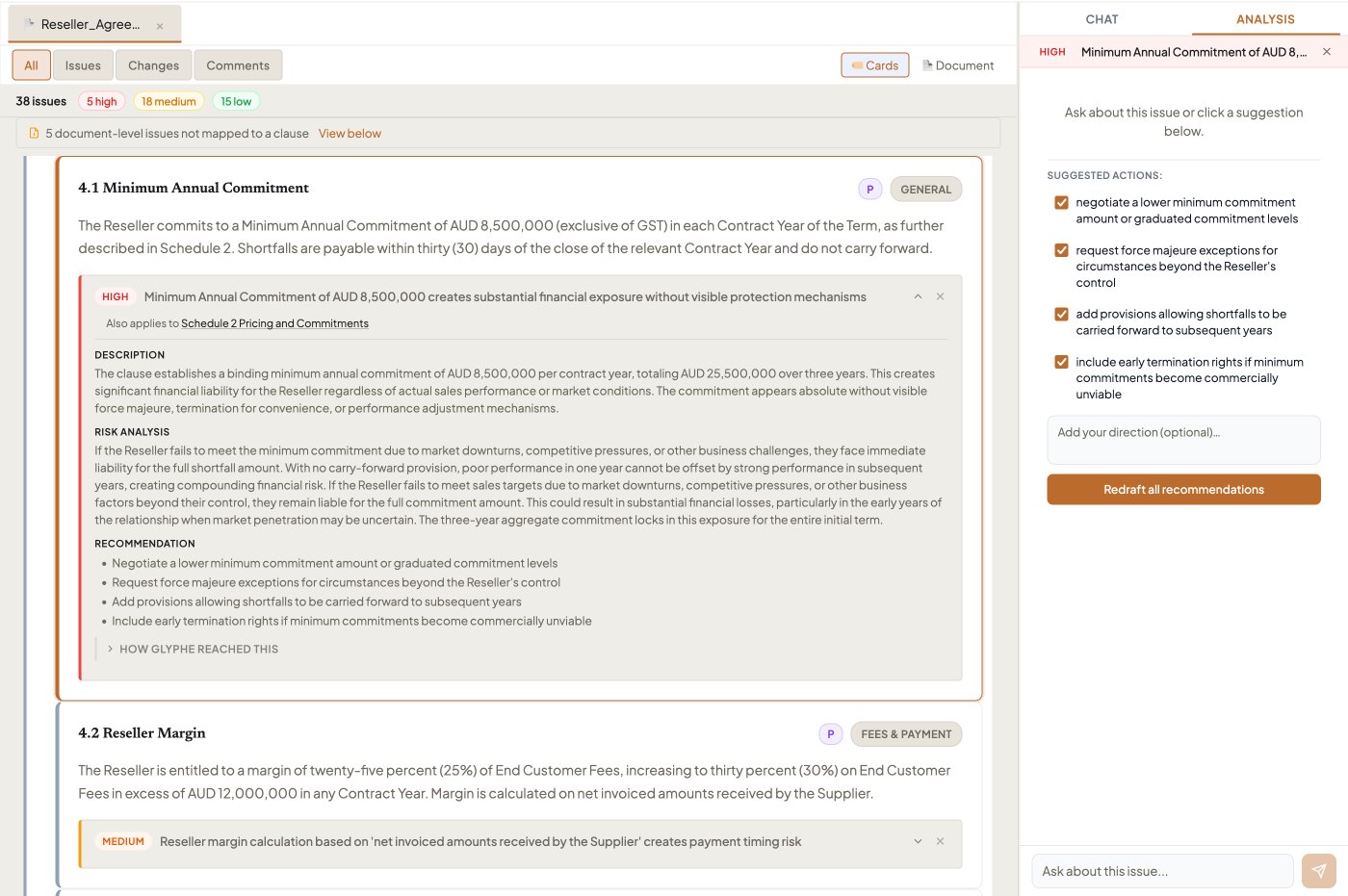
Review your agreement against your playbook, precedents, and market-standard positions — directly inside your document workflow — and receive actionable recommendations.

  • Benchmark against your standard terms.
  • Customise your review using a Quick Action toolset.
  • Track recommendations side-by-side with your document.
Placeholder
Feature · Red-Flags Review on the Desk
04Glyphe Draft

Drafting aligned with your approved positions.

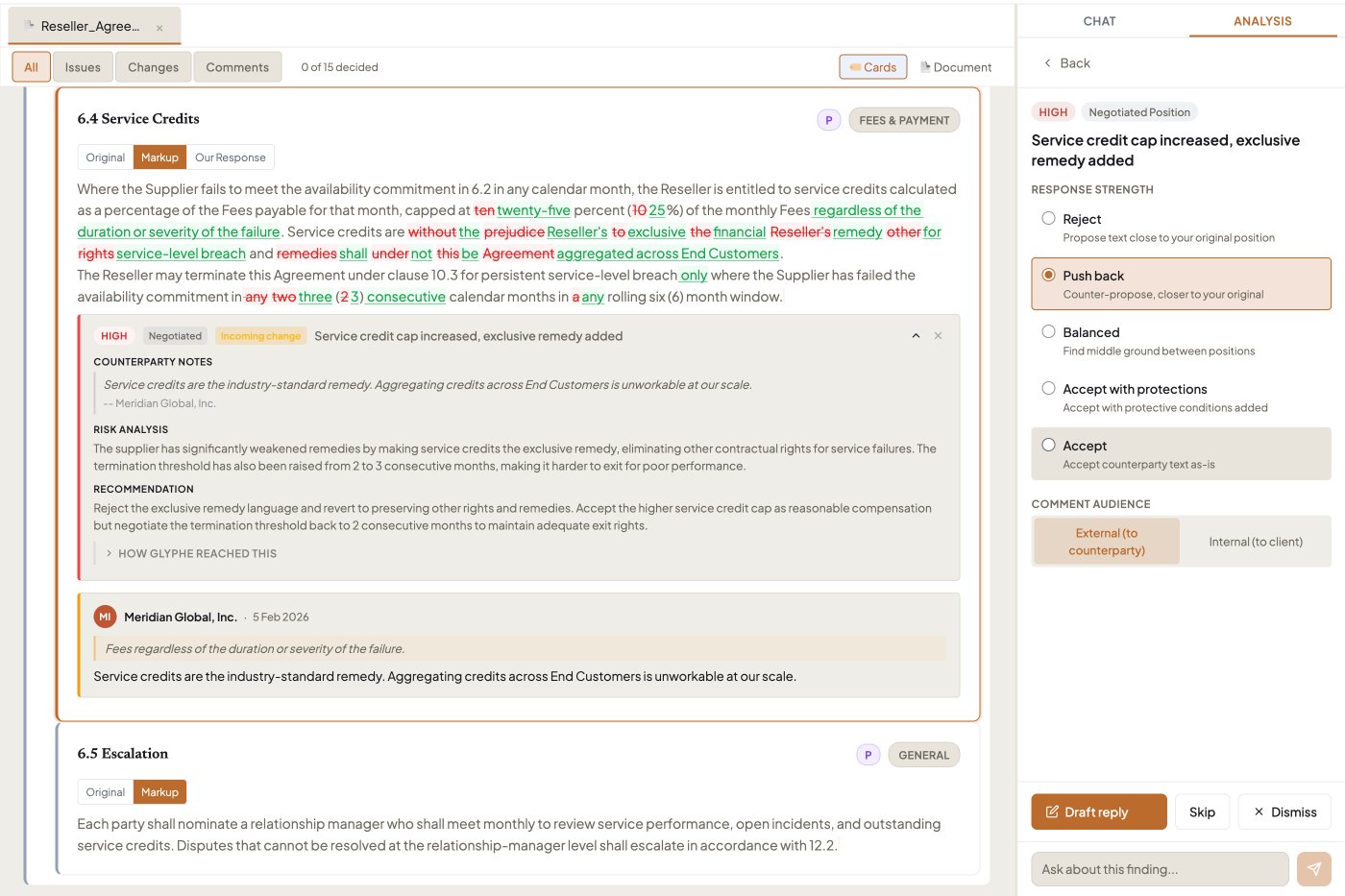
Generate clauses that reflect your approved positions, tailored to the context of your agreement and your negotiation preferences.

  • Choose which recommendations to implement.
  • Automatically align drafting with your ideal positions.
  • Review Glyphe's drafting in tracked changes — accept, edit, or re-instruct.
Placeholder
Feature · Drafting in tracked changes
05Glyphe Negotiation Workflows

End-to-end negotiation support, at scale.

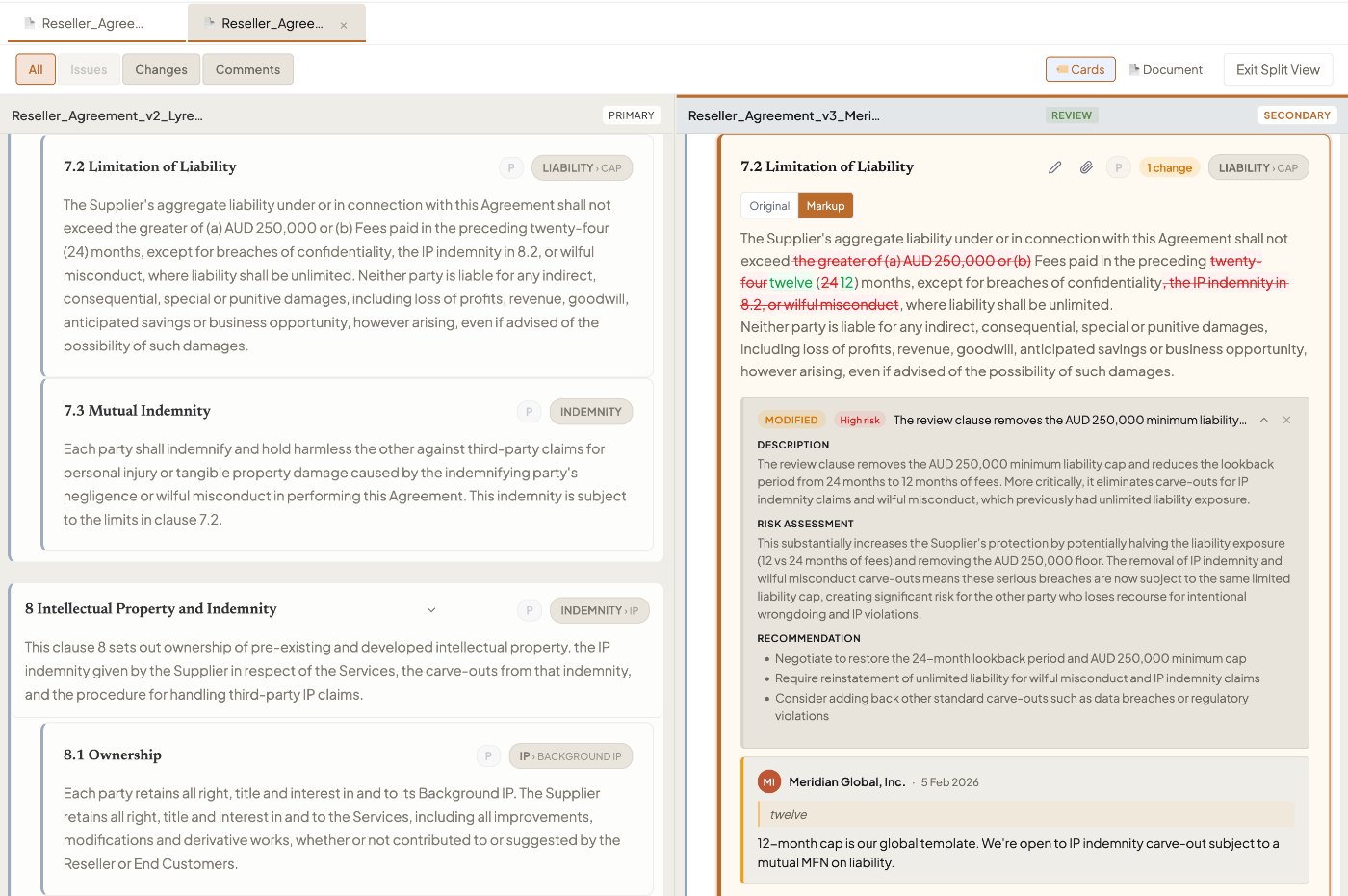
Generate red-flag analyses and comparison reports across entire document suites with actionable insights at scale. No manual tagging. No data entry. Customise your review through user-friendly toggles and step through the next stage of negotiation in minutes.

Glyphe's Clause Card system extracts contract data automatically on upload, without any set-up or maintenance.

Placeholder
Feature · Negotiation workflow + Clause Cards
06Glyphe Assistant

An assistant that knows your library.

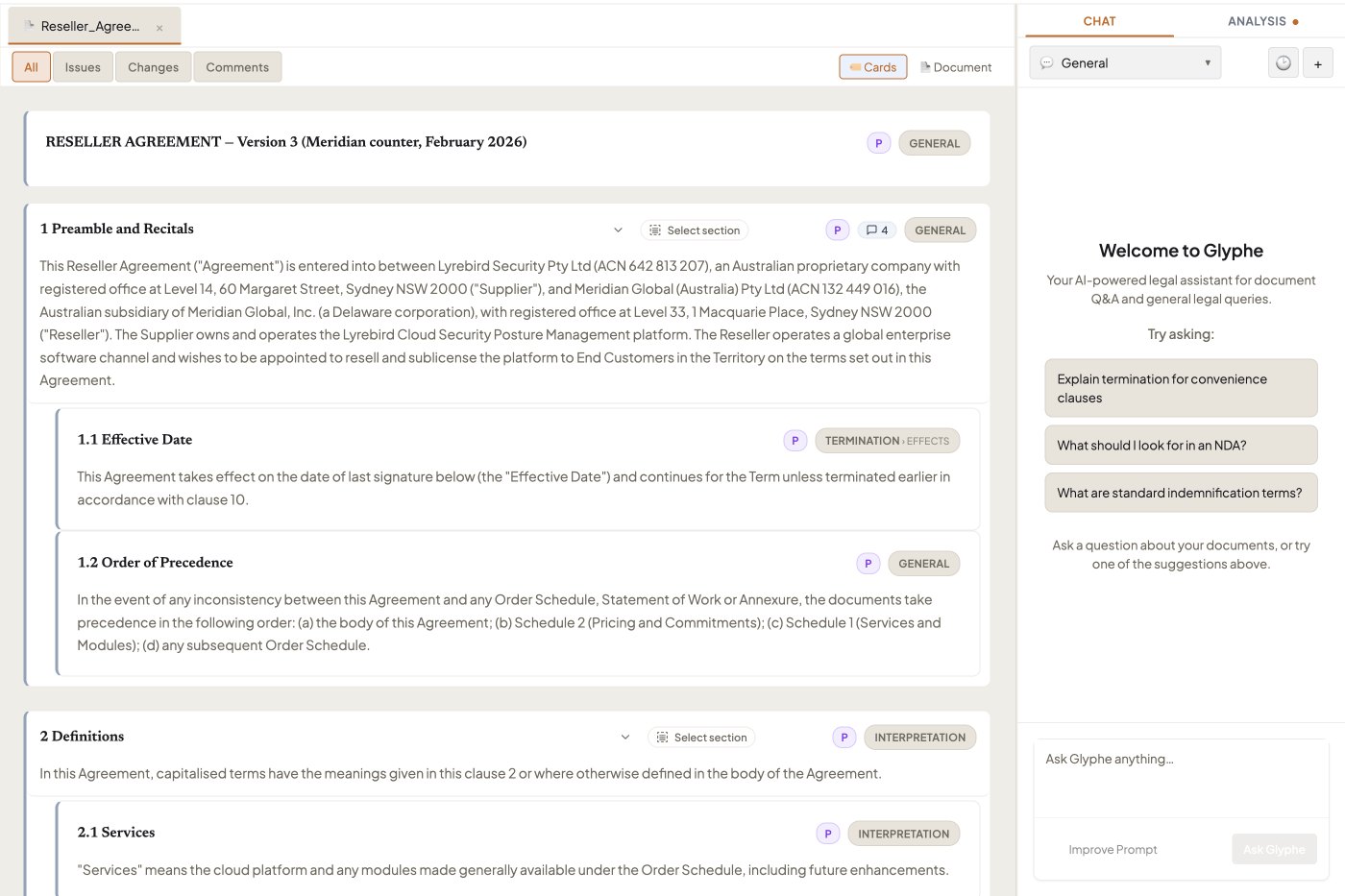
The Glyphe Assistant has the context of your entire Workbench library and working documents, so every response is specific to your workflow.

  • Use pre-set Quick Actions to instantly run an analysis or uplift any clause.
  • Ask plain-language questions across your library to trigger clause reviews, generate redlines, and draft negotiation commentary.
  • Save, store, and improve your prompts.
Placeholder
Feature · Assistant with Quick Actions
07Glyphe Playbook Builder

Turn precedents into a working playbook.

Build your own intelligent playbook in minutes. Glyphe extracts, uplifts, and transforms your precedents into playbook-ready positions — complete with fallback positions and commentary to guide your negotiation review.

Use your Playbook to match and align every working contract with your standard positions.

Placeholder
Feature · Playbook Builder with fallback positions
08Security and trust

Built to the highest security standards.

Your contracts are among your most sensitive assets. Glyphe is designed, from the database up, to keep them protected.

i

Zero training on your data

Your contracts are never used to train AI models. Our AI providers — Anthropic and OpenAI — process your documents under commercial API terms to deliver your results, and nothing else.

ii

Documents stored in Australia

Your documents and analyses are stored on servers in Australia, so your matter data stays in the jurisdiction your team operates in.

iii

Encrypted in transit and at rest

All traffic to Glyphe uses TLS. Sensitive content is encrypted at the application layer before it ever touches the database — on top of Supabase's managed database encryption.

iv

Per-customer encryption keys

Each customer has their own encryption key. Even a raw database export of another customer's documents would be unreadable without the specific key tied to that account.

09Get in touch

See what Glyphe can do for your team.

Generate configurable issues lists and summary reports, ready to share immediately. A short walkthrough is the fastest way to see whether Glyphe fits the work you actually do.

10Frequently asked

Common questions about Glyphe.

  • How much time can I save with Glyphe Review?

    Users typically report saving up to 75% of the time they previously spent on manual contract review — first-pass redlines that used to take hours, reduced to minutes.

  • What document formats does Glyphe support?

    Glyphe works with Microsoft Word (.docx) and PDF. Reviews are conducted directly on Glyphe's web platform.

  • What if I don't have existing playbooks?

    Use Glyphe's Playbook Builder to develop playbooks from your templates, past agreements, or internal legal standards. You'll have a working set within your first week.

  • Can Glyphe handle multiple documents at once?

    Yes. You can load multiple playbooks or Workbench precedents onto your Desk and match your working document's clauses against all of your contract assets, so nothing gets missed.

  • Do I need to configure anything to start using Glyphe?

    You can customise your preferences and the way Glyphe helps you negotiate, but you can also start reviewing and drafting agreements immediately.